
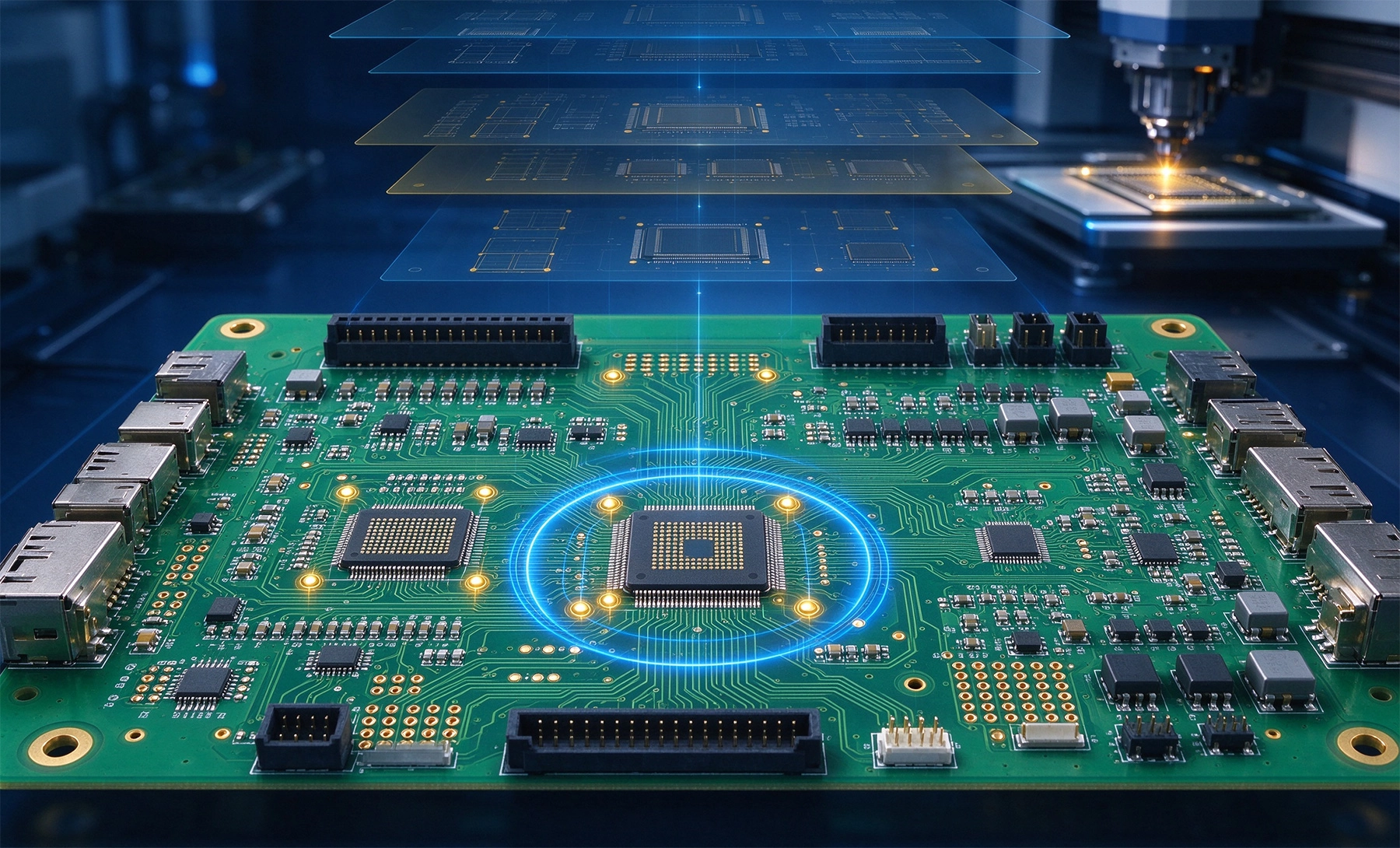
Rapid Turnkey Pcba is one of the fastest ways to move from schematic to working hardware, but it only works when the factory receives a clean and complete file package. Many delays do not come from slow production lines. They come from missing layers, ambiguous BOMs, inconsistent coordinates, unclear testing requirements, or version conflicts between Gerber files and component lists. If you are preparing files for a turnkey or partial turnkey order, your goal is to make every decision explicit before production starts.
This guide covers the essential files, common mistakes, and a practical checklist for preparing your design data for fast and reliable PCBA delivery.
Turnkey Pcba means the manufacturer handles PCB Fabrication, Component Sourcing, Smt Assembly, inspection, and often testing and shipping. Partial turnkey services may let you supply certain components or bare boards while the factory sources the rest. In both cases, the factory still needs accurate manufacturing and assembly data.
The most common required files include:
Even if a factory accepts EDA source files, sending verified Gerber and assembly files remains the safest approach. Source files can contain library mismatches, incorrect output settings, or version-dependent behaviors that are difficult for a factory to interpret consistently.
Gerber files describe the physical structure of the PCB. They are the primary input for imaging, etching, solder mask, silkscreen, and surface finish processes. Always export Gerber files in RS-274X format, because this extended format embeds aperture data and reduces the risk of misinterpretation.
A complete Gerber package should include:
Before sending the files, open them in a Gerber viewer and confirm that every layer aligns correctly. Check that the board outline is closed, drill holes match the design, and no old layers are included. File naming should be consistent and clear. Avoid names like “final,” “new,” or “rev2_copy.” Use a structured name such as ProjectA_Rev1.2_Gerber_2026-10-13.zip.
The BOM is not just a parts list. In a turnkey project, it becomes the purchasing blueprint. A weak BOM causes quotation delays, wrong substitutions, and assembly errors. A strong BOM removes ambiguity.
For turnkey or partial turnkey orders, include at least:
If substitutions are allowed, define them clearly. Write whether a part can be replaced by any equivalent, only by approved alternates, or not at all. Do not rely on email messages to explain substitutions. Put the rule directly into the BOM so it travels with the file package.
The pick-and-place file tells the SMT machine where each component belongs. It is also called a centroid file, XY file, or component placement file.
Verify these fields before export:
Coordinate origin is a frequent source of errors. If your CAD tool uses a different origin than the factory expects, every component may shift. For boards with connectors, polarized ICs, LEDs, or edge-mounted parts, use an assembly drawing to double-check orientation.
Gerber files show geometry. Assembly drawings show intent. They help engineers confirm polarity, connector direction, keep-out areas, shielding, heatsinks, Conformal Coating zones, and manual assembly steps.
Fabrication notes should specify:
If your design includes controlled impedance, high-current traces, heavy copper, blind/buried vias, or mixed SMT and THT processes, describe them explicitly. Ambiguous requirements often trigger engineering queries and delay the schedule.
Turnkey success is not only about placing components correctly. It is also about proving that the board works. Define testing expectations before the factory begins assembly.
Common testing items include:
If firmware must be programmed, provide the exact file, version number, checksum, and programming stage. If test limits exist, document them. If a board should be rejected when standby current exceeds a threshold, write that threshold down. Otherwise, different operators may apply different standards.
Rapid Turnkey Pcba rewards clarity. The more explicit your files are, the fewer engineering questions the factory needs to ask, and the faster your boards move into production. Treat your file package as a production contract, not just a data drop. Clean Gerber files, a complete BOM, verified coordinates, clear assembly drawings, and defined testing requirements will save more time than any expedited shipping option.
At minimum, provide Gerber files, NC Drill files, a complete BOM, a pick-and-place file, assembly drawings, and fabrication notes. Testing and firmware files should be added if required.
Some factories accept source files, but verified Gerber files are safer. Source files can contain library or export inconsistencies that are difficult for manufacturers to resolve automatically.
Manufacturer part numbers prevent substitution errors. In turnkey projects, the factory purchases components on your behalf, so each part must be uniquely identifiable.
Version mismatches between Gerber, BOM, and coordinate files are among the most common causes. Unclear substitution rules and missing testing requirements also create delays.
If you require functional testing, yes. Provide test steps, limits, firmware versions, and pass/fail criteria. Without them, the factory cannot reliably validate board performance.

Managing Logistics and Distribution in High Volume Turnkey PCBAOctober/12/2026

Rapid Turnkey PCBA: How to Get Your Electronics Built in Days, Not WeeksJune/15/2026

How Digital Platforms are Enabling 24-Hour Rapid Turnkey PCBASeptember/10/2026
Rapid Turnkey PCBA Services for Emergency Engineering FixesAugust/03/2026

Strategies for Scaling to High Volume Turnkey PCBA ProductionMay/26/2026
High Volume Turnkey PCBA: Ensuring Consistency and Yield at ScaleJune/12/2026
Best Turnkey PCB Assembly for Complex Multilayer Boards: What to Look ForSeptember/23/2026
The Trade-offs Between Speed and Cost in Rapid Turnkey PCBAJuly/13/2026